
Ask three IT companies what support will cost and you can easily come away with three very different answers. One quotes £35 per user a month. The next wants £90. The third talks in day rates and project fees before naming a figure at all. None of them is necessarily wrong. They are simply pricing different things, and until you can see what sits behind each number, comparing them fairly is almost impossible.
So, here is the short version before any detail: most UK small businesses pay somewhere between £30 and £125 per user per month for managed IT support, with the figure rising as security, backup and guaranteed response times are added in. Pay-as-you-go help, where you only call when something breaks, usually runs at £70 to £150 an hour. A small team of five to fifteen people on an all-inclusive monthly package commonly lands between £250 and £600 a month in total.
That spread is wide for a reason, and the rest of this guide sets out to explain it properly: the pricing models providers use, what a monthly contract actually includes, what pushes the price up, and the costs that tend to hide in the small print.
We will try to shed some light on roughly what to budget and, just as usefully, what a fair quote should look like for a business like yours. And if you would rather find out exactly what your IT support should cost, tell us a little about your setup, and we will give you a straight answer.
Small business IT support costs at a glance
For a quick benchmark, the UK market in 2026 sorts into a few recognisable bands. These are planning figures drawn from published pricing across UK providers, not a quote, and your own number will sit somewhere inside them depending on how your business runs.
- Basic managed support: around £30 to £50 per user, per month. Remote helpdesk, basic monitoring and patching, standard business hours, and a simple Microsoft 365 setup with light security.
- Mid-level managed support: around £50 to £85 per user, per month. Proactive monitoring, patch management, Microsoft 365 administration, basic backup, and stronger security such as multi-factor authentication and email filtering.
- Fully managed or compliance-led support: around £85 to £125+ per user, per month. A hardened security stack, backup and disaster recovery, faster response targets, support for servers or more complex networks, and help meeting standards like Cyber Essentials.
- Hourly or ad-hoc support: around £70 to £150 an hour. No contract, no monitoring, you pay when something goes wrong.
A useful way to read those numbers is by team size rather than per head. A ten-person business on basic remote support might pay a few hundred pounds a month, while the same team on a fully managed plan with proper security and backup can move comfortably into four figures.
The estimator below lets you set your own user count and support level to see a realistic monthly range instead of a single headline price.
Small business IT support · cost estimator
What could monthly IT support cost your business?
Set your team size and the level of support you need to see an illustrative monthly range. UK managed support is usually priced per user, per month.
Your business
The people who rely on your IT day to day. Most support is priced per user.
More security, backup and cover means a higher per-user rate.
Illustrative monthly cost
Get a clear, no-pressure quote from Computercentric →
What you are actually paying for
It helps to know what the monthly fee buys before worrying about the figure itself. Good IT support is not really a charge for fixing laptops. You are paying a provider to carry risk on your behalf: to keep your systems patched and monitored, to stop small problems from becoming outages, to hold your backups and test that they restore, and to be ready when something does go wrong.
That framing explains why two businesses with the same headcount can pay very different amounts. A provider takes on more cost when there are more devices to watch, tighter response times to honour, servers to maintain, or stronger security to stand behind.
Price tracks responsibility, not just the number of people on the support list. Keep that idea in mind and the pricing models below stop looking like a maze and start looking like different ways of sharing the same risk.
Common IT support pricing models
UK providers price support in a handful of established ways, and most contracts are some blend of them. Understanding the model matters as much as the number, because the same business can look cheap or expensive depending purely on how the support is packaged.
Per-user pricing
Per-user, per-month pricing is now the default for most UK providers serving small businesses. You pay a flat monthly fee for each member of staff, and that fee usually covers all the devices that person uses, their email, and their core applications.
Because most people now move between a laptop, a phone and sometimes a desktop, charging per user keeps the cost predictable as the team grows and avoids a separate fee for every piece of kit. It suits office and hybrid teams where everyone relies on IT daily, and it can feel expensive only where staff barely touch a computer.
Per-device pricing
Some providers price per device instead: a set monthly cost for each desktop, laptop or server they look after. This fits environments where machines, not people, are the unit that matters, such as a warehouse, a shop floor or a hospitality site with shared terminals and tills.
It can be the fairer model when several staff share one device. It becomes the expensive one when each person carries a laptop, a phone and a home setup that all need covering.
Fixed monthly package
A fixed monthly package rolls an agreed scope of support into one predictable fee, often presented in tiers. This is the model finance directors tend to like, because the bill is the same every month and proactive maintenance is built in rather than charged per visit. The one thing worth watching is the word “all-inclusive”, which rarely means everything.
Projects, licences, onsite visits and out-of-hours work are frequently scoped separately, so the value of a fixed package depends entirely on reading what the fixed fee actually covers.
Hourly and block-hours support
Hourly or ad-hoc support, sometimes called break-fix, means you pay only when you call, typically at £70 to £150 an hour.
Block hours are a softer version, where you buy a bundle of time upfront, often at a modest discount on the standard rate. Both suit very small or simple setups with a high tolerance for the occasional outage. The catch is that nobody is watching your systems between calls, so problems grow undetected and a single bad incident can cost more than months of a managed plan would have.
This is the heart of the difference between proactive and reactive IT support: one is designed to prevent the fire, the other to bill for putting it out.
Fully managed and co-managed support
Fully managed support is the comprehensive end of the scale, with monitoring, patching, security, backup management and helpdesk all wrapped into a monthly per-user fee.
Co-managed support is the same idea applied alongside an in-house IT person, where the provider covers the gaps, such as security, projects, out-of-hours cover or specialist work, rather than replacing the internal role.
Growing businesses that depend on uptime tend to land here, and the benefits of managed IT services usually justify the higher monthly cost through far fewer incidents and lower overall risk.
IT support pricing models
Which IT support pricing model fits your business?
Providers price support in different ways, and the right model depends on how your business runs. Pick the description that sounds most like you.
My business is...
Pricing models based on published UK MSP guidance: Absolute Networks, Micro Pro, IT Support Helpdesk, Redpalm, Cloudswitched (2025–2026).
What a monthly IT support contract usually includes
At the basic tier, a monthly contract typically covers remote helpdesk for everyday issues during business hours, basic monitoring and patching, simple antivirus, and day-to-day Microsoft 365 administration.
Move up a tier and you add proactive monitoring across all machines, better security such as multi-factor authentication and email filtering, and basic backup for your key services. The comprehensive tier brings in a stronger security stack, backup and disaster recovery, support for servers and complex networks, tighter response targets, and help with compliance.
What sits outside the monthly fee is just as important, because this is where unexpected bills come from. Across UK contracts, the items most often charged separately are major project work like migrations and server replacements, onsite visits beyond any agreed quota, Microsoft 365 and security licences, advanced cyber security tooling, full disaster recovery, out-of-hours cover, and onboarding for new staff.
A useful rule when comparing two quotes is to ignore the headline figure for a moment and ask each provider for a line-item list of what the fixed fee includes and what is billed on top. The cheaper monthly number is often the one with the longer list of extras.
IT support cost per user versus cost per hour
The clearest way to judge value is to compare the two ends of the market directly: a predictable monthly per-user fee against reactive hourly billing. On paper, hourly support looks cheaper because you pay nothing in a quiet month. The difficulty is that the quiet months are exactly when proactive work would have been preventing the noisy ones.
There is also a quiet conflict of interest worth naming. A break-fix provider earns when your systems fail and your staff sit idle, whereas a managed provider earns most when everything runs silently and stays patched. The incentives point in opposite directions.
For a micro-business with one shared device and very simple needs, hourly help can still be the sensible choice.
For most teams of ten or more, the gap between hourly and managed closes quickly once you count even one serious outage, and the managed fee buys the monitoring, patching and backup that stop that outage from happening in the first place.

What makes IT support cost more
Two businesses with the same number of staff can receive quotes hundreds of pounds apart, and the difference almost always comes down to a familiar set of factors. The number of users sets the baseline, since most support is priced per head.
From there, the cost climbs with the number and type of devices, the complexity of your Microsoft 365 environment, and how much cyber security you need, from basic protection up to endpoint detection, monitoring and Cyber Essentials work.
Infrastructure pushes it further. Servers, legacy systems and bespoke software need more specialist attention than a clean cloud-only setup. Backup and disaster recovery add storage, tooling and regular restore testing. Spread your team across home and office and you add remote access, device management and the support that remote and hybrid working quietly demands. Then come the service expectations: faster response targets, evening and weekend cover, and guaranteed onsite visits all raise the price because they commit the provider to more resource.
Compliance sits on top of everything, since regulated work and client security audits call for documentation and controls that take real time to maintain. Different sectors bring different IT, security and compliance requirements.
Accountancy practices are a good example: client financial records, Making Tax Digital requirements and payroll responsibilities typically mean IT support for accountants sits at the more structured and higher-cost end of the scale.
Regulated financial services firms face similar pressures, with additional requirements around operational resilience, security, auditability and third-party oversight.
None of these is a hidden trick. They are the genuine reasons a quote moves up or down, and knowing which ones apply to you is the difference between a number that looks expensive and one you can actually judge.
Managed IT services across the West Midlands & Staffordshire
We support small businesses and SMEs in each of the areas below — delivering the same structured, proactive IT service to every client, locally.
Birmingham
- Managed IT support
- Cybersecurity & EDR
- Cloud & Microsoft 365
Walsall
- Managed IT support
- Backup & disaster recovery
- Proactive monitoring
Wolverhampton
- Managed IT support
- Cybersecurity & compliance
- Network management
Sutton Coldfield
- Managed IT support
- Microsoft 365 management
- Business continuity
Lichfield
- Managed IT support
- Cybersecurity & EDR
- Backup & recovery
Aldridge
- Managed IT support
- Cloud services & hosting
- IT consultancy
Bournville
- Managed IT support
- Endpoint protection
- Business continuity
Hidden costs to check before you sign
The price that catches small businesses out is rarely the monthly fee. It is the charge nobody mentioned until it landed. Several of these come up again and again in UK contracts, and all of them are easy to ask about before you commit.
Out-of-hours and emergency work is the most common. Many contracts cover only nine to five, Monday to Friday, and a single evening or weekend call-out can be billed at £120 to £180 plus VAT an hour even for existing customers.
Onsite visits are next: remote support might be included while an engineer physically attending your office is charged separately, so it is worth knowing whether onsite help is bundled, capped per month, or extra every time.
Project work is the big one, because anything beyond day-to-day support, a Microsoft 365 migration, a server replacement, an office move, can run into the thousands despite sitting with your “all-inclusive” provider.
A few smaller items add up just as quickly. New-user onboarding and offboarding is often charged per person, typically £50 to £150 a head to set up security profiles and provision accounts.
Software and security licences such as Microsoft 365 or antivirus are frequently billed on top of the support fee, sometimes at a markup. Hardware bought through the provider can carry a margin of 15 to 30 per cent above retail.
And, many contracts include an annual price rise linked to inflation, so it pays to ask how the fee will change across the full term, not just in year one. The practical move is simple: ask for these in writing before you sign, and treat a provider who answers each one clearly as a good sign in itself.
IT support · cost drivers & hidden costs
What could push your IT support quote higher?
Tick everything that applies to your business. The more of these you select, the more a provider has to manage, and the higher a fair quote is likely to be.
Tick every factor that applies
Complexity read
Is cheaper IT support actually cheaper?
The lowest monthly quote and the lowest total cost are not the same thing, and the gap between them is usually downtime. UK research puts the average small business at three to four internet or system failures a year and around 19 hours of lost productivity, with each serious incident estimated to cost between £3,000 and £8,000 once lost work, staff time and recovery are added up. For many small firms a single bad outage can erase a month’s profit.
Cyber risk widens the gap. The government’s 2025 Cyber Security Breaches Survey found that 38 per cent of micro businesses, 56 per cent of small businesses and 69 per cent of medium-sized businesses reported a breach or attack in the previous year, with the average most disruptive incident costing affected firms in the region of £6,940.
A support plan that prevents one such event has effectively paid for itself for a long time. That is the real test of value: not the cheapest line on the quote, but the plan least likely to leave you facing a cost like that.
Tightening your spending matters, and there are sensible ways to reduce your IT costs without raising your exposure, but cutting the support that prevents outages is rarely one of them.
The Microsoft 365 cost most businesses miss
A common assumption quietly creates risk and, eventually, cost. Many owners believe that moving everything to Microsoft 365 removes the need for separate backups. It does not. Microsoft runs on a shared responsibility model: they guarantee the platform is available, but your data remains your responsibility.
Native retention for deleted or lost items typically spans only around 30 to 90 days depending on the policy, so if a file is encrypted by ransomware or deleted by a member of staff and the problem surfaces months later, the data can be gone for good unless an independent backup has been running all along.
This is why proper backup and disaster recovery appears in the mid and upper support tiers rather than the basic one, and why a sensible Microsoft 365 security setup treats third-party backup as standard rather than optional. It is a small monthly cost set against the kind of loss that closes businesses, which makes it one of the few line items where paying a little more is clearly the cheaper decision.

How to budget for IT support and get an accurate quote
A realistic budget starts with an honest picture of your own setup: how many users, how many and what kind of devices, whether you run any servers, how much your Microsoft 365 environment does, what your security and compliance obligations are, and how quickly you would need help if something failed.
Those answers move you between the bands at the top of this guide far more than the choice of provider does.
When you ask for quotes, compare like for like. A £35 per-user price with onboarding, onsite visits, backup and out-of-hours all charged extra is not cheaper than a £60 price that includes them; it just looks that way until the first busy month.
Ask every provider for the same line-item breakdown, the same response targets, and the same security inclusions, then compare the totals. Price should never be the only factor, and our guide on how to choose an IT support provider walks through the service levels, security standards and contract terms worth weighing alongside it.
For many growing businesses, the bigger question is whether to build the function in-house at all, and the case for choosing to outsource IT support often comes down to getting a whole team’s worth of cover for less than the cost of a single internal hire.
Which of those routes makes sense often comes down to headcount rather than budget alone; our guide to right-sizing IT support for a growing business sets out what a five-person team needs against a forty-person one, and when to move between them.
Small business IT support costs: frequently asked questions
How much does IT support cost for a small business in the UK?
Most UK small businesses pay between £30 and £125 per user per month for managed IT support, depending on how much security, backup and guaranteed cover is included. A typical ten-person business on a standard cloud setup usually falls somewhere between £500 and £800 a month, while ad-hoc hourly help runs at around £70 to £150 an hour.
How much does monthly IT support cost?
For an all-inclusive monthly package, a business of five to fifteen staff commonly pays £250 to £600 a month in total. Larger teams and stronger security, backup and response requirements move the figure up from there. The monthly model spreads cost predictably and builds in the proactive work that reactive, pay-per-call support leaves out.
How do I calculate IT support costs for my business?
Start with your number of users, then multiply that by the level of support you need. For example, 10 users at £50 to £85 per user per month gives a monthly range of £500 to £850 before VAT. Then add anything outside the support fee, such as Microsoft 365 licences, backup, security tools, hardware, projects, onsite visits and out-of-hours cover.
Is IT support charged per user or per device?
Both models are common in the UK. Per-user pricing is now the default for office and hybrid teams, because it covers all the devices each person uses under one predictable fee. Per-device pricing tends to suit environments with shared machines, such as retail, warehousing or hospitality, where there are fewer users than devices.
Is it better to pay monthly for IT support or use pay-as-you-go support?
Pay-as-you-go support can work for a very small business with simple systems and a high tolerance for downtime. Monthly support is usually better once your team relies on email, Microsoft 365, shared files, backups and secure devices every day. The monthly fee buys monitoring, patching, backup checks and faster help, not just repairs when something breaks.
How much does outsourced IT support cost?
Outsourced IT support is usually priced per user per month, in the same £30 to £125 range as managed support generally, with the level set by your security and service needs. For most small businesses it costs considerably less than employing a full-time IT person once salary, holiday cover, tools and training are taken into account, while providing a whole team’s range of skills.
What is usually included in a small business IT support package?
A standard package typically includes remote helpdesk, monitoring and patching, antivirus, and Microsoft 365 administration, with backup, stronger security and faster response targets added in the higher tiers. Items frequently charged separately include major projects, onsite visits beyond an agreed limit, software licences, out-of-hours cover and new-user onboarding.
What should be included in a small business IT budget?
A small business IT budget should include more than support. Allow for Microsoft 365 or other software licences, cyber security tools, backup, hardware replacement, internet and connectivity, project work, staff onboarding and a small contingency for unexpected issues. Your IT support fee is one part of the budget, not the whole cost of running business technology.
Are Microsoft 365 licences and backups included in IT support costs?
Not always. Some providers include Microsoft 365 administration in the support fee, but the actual licences are usually billed separately. Backup can also vary: basic support may not include independent Microsoft 365 backup, while mid-level or fully managed support often includes backup monitoring, restore testing or a separate backup service. Always ask what is included and what is charged on top.
Why do IT support prices vary so much?
Because the same headcount can carry very different amounts of risk and complexity. More devices, servers, security requirements, backup needs, remote workers, tighter response times and compliance obligations all raise the cost. The fairest way to compare two quotes is to line up exactly what each fixed fee includes, rather than the headline price alone.
What is the difference between basic IT support and fully managed IT support?
Basic IT support usually covers remote helpdesk, simple monitoring, patching and everyday Microsoft 365 support during business hours. Fully managed IT support goes further, adding proactive monitoring, stronger cyber security, backup and disaster recovery, faster response targets, regular reviews and support for more complex systems. The higher price reflects the extra responsibility the provider is taking on.
Is cheaper IT support always worse?
Not always, but a low monthly fee often means a narrower scope, with key services charged as extras. The cheapest plan can work out more expensive once a single serious outage or breach is counted, because prevention through monitoring, patching and tested backup is exactly what tends to be missing at the bottom of the market.
What should I ask before signing an IT support contract?
Ask for a line-item list of what the fixed fee covers and what is chargeable, the standard support hours and out-of-hours rates, the response and resolution targets in the SLA, the onboarding and onsite-visit charges, what is backed up and how often restores are tested, and how the price changes over the full term. Clear answers to those questions tell you as much about a provider as the price does.
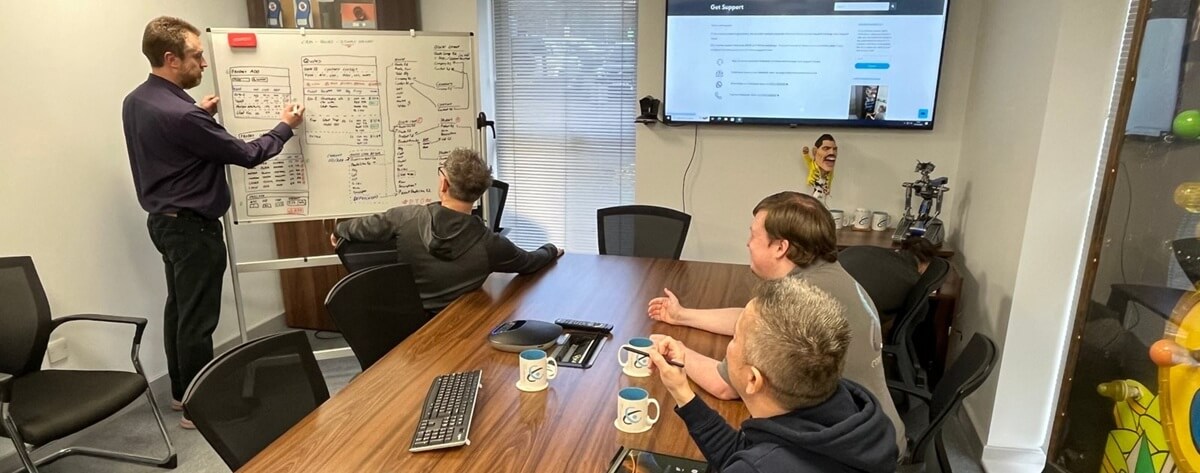
A clearer view of what your IT support should cost
The honest answer to how much IT support costs for a small business in the UK is that it depends, but not in a way that should leave you guessing. Once you know your user count, your devices, your security needs and the response you would expect when something breaks, the bands in this guide give you a realistic figure to budget against and a fair benchmark to hold quotes up to.
Computercentric provides business IT support to small and medium-sized businesses across Birmingham, Wolverhampton, Walsall, Lichfield, Sutton Coldfield and the wider West Midlands and Staffordshire. We price transparently, scope clearly, and would rather tell you what a fair quote looks like than win you with a low headline number and a long list of extras.
If you would like a clear, no-pressure indication of what support should cost for a business like yours, call us on 01922 830000 or use our contact form, and we will talk it through.