
Accountancy firms run on trust, deadlines and detail. When systems are slow, email is unreliable or client files are difficult to access, the problem spreads quickly. Work backs up, staff lose time, partners get pulled into avoidable issues, and clients start to notice.
Your practice depends on secure access to accounts, tax records, payroll data, client correspondence and specialist software. If that setup becomes unreliable, the cost is more than technical inconvenience. It affects productivity, client service, compliance and the confidence people have in your firm.
At Computercentric, we provide IT support for accountants and accounting firms that need reliable systems, practical cybersecurity and clear advice from people who understand how professional services firms work. We support small and medium-sized businesses across Birmingham, Walsall, Wolverhampton, Sutton Coldfield, Lichfield and the wider West Midlands, as well as organisations across the UK.
Whether you are a small accountancy practice, a growing multi-partner firm or an accounting team with hybrid staff, we help keep your systems secure, stable and ready for the deadlines that matter.
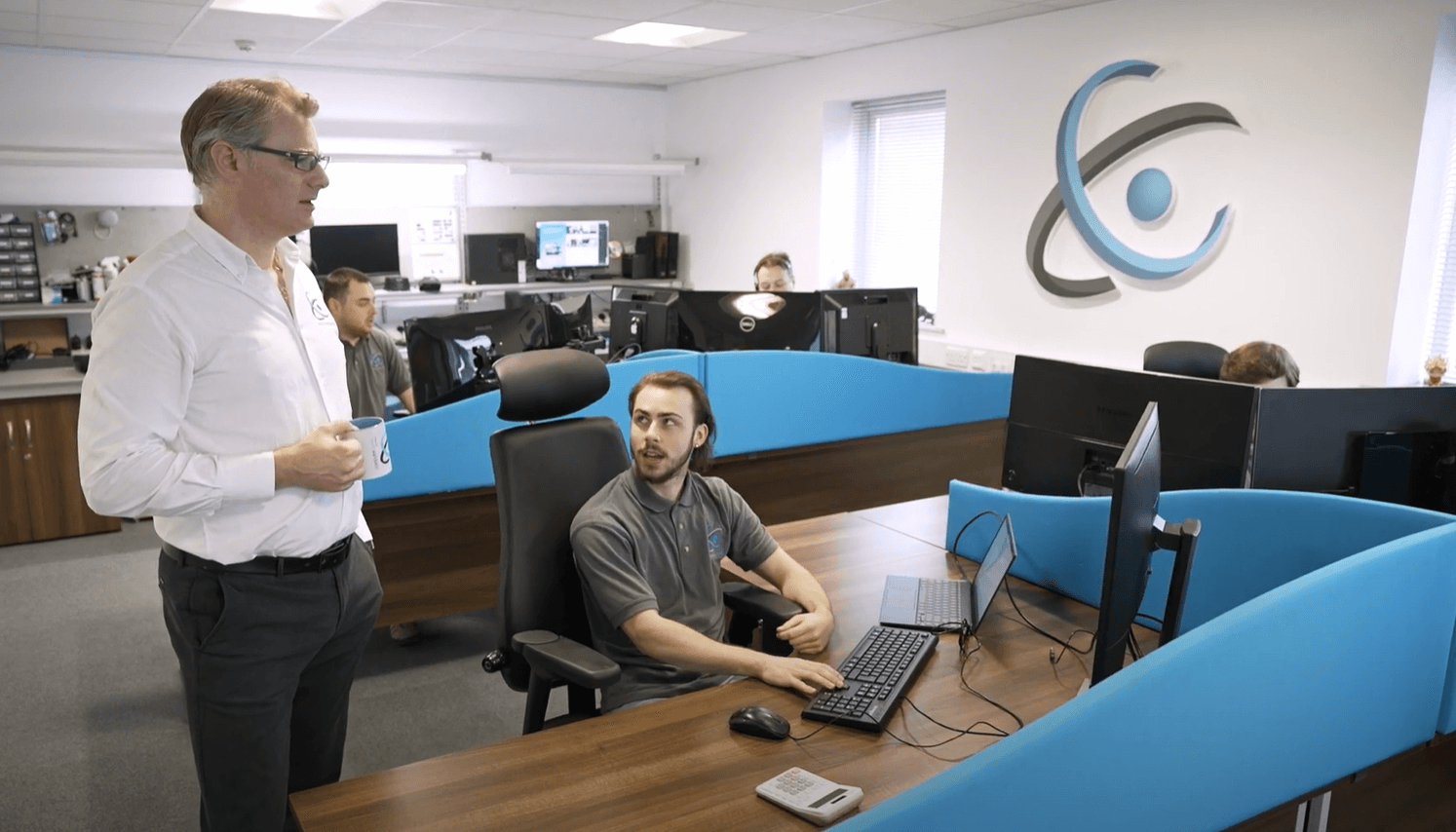
IT support built around the way accountancy firms work
Accountancy firms do not use technology in a generic way. Your systems have to support client deadlines, confidential financial data, payroll, tax returns, document storage, secure communication, cloud accounting platforms and internal practice management.
That creates a different set of priorities from many other businesses.
Your team needs systems that are quick, reliable and easy to access. Partners need confidence that client data is protected. Practice managers need support requests handled properly. Staff need help without waiting days for a response. Clients expect secure communication, fast turnaround and professional service.
We help accountancy firms with:
- Day-to-day IT support for partners, managers and staff
- Microsoft 365 management and security
- Support for desktops, laptops, servers and networks
- Secure remote and hybrid working
- Cybersecurity, including MFA, endpoint protection and email filtering
- Backup monitoring and disaster recovery planning
- Broadband, leased line and connectivity support
- Hardware supply, setup and lifecycle planning
- Software vendor liaison when issues cross between systems
- IT consultancy for growth, office moves, cloud migration and security improvement
The goal is simple: fewer interruptions, stronger protection and a setup that supports the way your practice actually operates.
Why accountants need specialist IT support
Accountancy practices handle highly sensitive information every day. Client accounts, payroll records, tax details, bank information, identification documents and private correspondence all sit inside your systems.
That data needs proper protection.
A weak password, missed software update, compromised mailbox or poorly controlled file share can create serious problems. The impact can include lost productivity, data exposure, reputational damage, client complaints and regulatory pressure.
There is also the issue of timing. IT disruption during a quiet week is frustrating. IT disruption during payroll, VAT submissions, year-end accounts or tax deadline pressure can be far more damaging. Your team cannot afford to lose access to the systems they rely on when work is already time-sensitive.
Good IT support for accountants should reduce these risks before they turn into business problems. It should give you reliable systems, clear processes, secure access and practical advice without burying you in jargon.
Support for accounting software and practice systems
Your accounting software is central to the service your firm provides. If staff cannot access the right platform, if integrations stop working or if a local device is causing problems, productivity drops quickly.
We support the IT environment around common accounting and practice systems, including:
- Sage
- Xero
- QuickBooks
- IRIS
- CCH
- TaxCalc
- BTCSoftware
- Dext
- AutoEntry
- Microsoft 365, SharePoint and OneDrive
- Client portals and secure document sharing platforms
In many cases, the software vendor remains responsible for application-specific issues. The problem is that real-world faults often sit between systems.
A cloud accounting platform might be working, but a user cannot sign in because multi-factor authentication has been set up incorrectly. A tax application may be running slowly because the workstation is underpowered. A document portal may be available, but permissions are too open. A payroll system may fail to send reports because email authentication or security settings need attention.
We help join those pieces together. Where needed, we liaise with software vendors, internet providers and other suppliers so your team is not stuck in the middle trying to explain a technical issue to three different companies.
Cybersecurity for accountants
Accountancy firms are attractive targets for cybercriminals because they hold valuable financial and personal data. Attackers know that accountants deal with payments, payroll, tax records, company accounts and client correspondence. They also know that busy periods create pressure, and pressure makes mistakes more likely.
Most cyber incidents do not start with anything dramatic. They often begin with ordinary weaknesses that have been left open for too long: a reused password, a fake Microsoft 365 login page, an old user account that was never disabled, a laptop missing security updates, an unnoticed mailbox forwarding rule, or a supplier payment email that looks convincing enough to trust.
For an accountancy firm, one compromised account can quickly become a serious business issue.
We help firms put sensible security controls in place, including:
- Multi-factor authentication for Microsoft 365 and key systems
- Endpoint protection for laptops, desktops and servers
- Email security to reduce phishing and malicious attachments
- Regular patching and update management
- Strong password and access policies
- Separate administrator accounts
- Device encryption where appropriate
- Secure backup and recovery processes
- Leaver processes to remove old access
- Practical staff guidance based on real-world threats
Security should not make everyday work painful. The right setup protects your practice without slowing people down unnecessarily.
Managed IT services across the West Midlands & Staffordshire
We support small businesses and SMEs in each of the areas below — delivering the same structured, proactive IT service to every client, locally.
Birmingham
- Managed IT support
- Cybersecurity & EDR
- Cloud & Microsoft 365
Walsall
- Managed IT support
- Backup & disaster recovery
- Proactive monitoring
Wolverhampton
- Managed IT support
- Cybersecurity & compliance
- Network management
Sutton Coldfield
- Managed IT support
- Microsoft 365 management
- Business continuity
Lichfield
- Managed IT support
- Cybersecurity & EDR
- Backup & recovery
Aldridge
- Managed IT support
- Cloud services & hosting
- IT consultancy
Bournville
- Managed IT support
- Endpoint protection
- Business continuity
Microsoft 365 support for accounting firms
Microsoft 365 often sits at the centre of a modern accountancy practice. Email, calendars, Teams, SharePoint, OneDrive and Office apps all support the work your team does every day.
That makes Microsoft 365 powerful, but it also makes correct configuration essential.
A poorly managed Microsoft 365 setup can expose your firm to avoidable risk. Mailboxes may be under-protected. External sharing may be too open. Old users may still have access. Teams and SharePoint sites may grow without structure. Sensitive files may be shared with the wrong people. Backups may be assumed rather than properly planned.
We support Microsoft 365 for accountants by helping with:
- User setup and licensing
- Email security
- Multi-factor authentication
- Conditional access where suitable
- SharePoint and OneDrive structure
- Teams configuration
- Secure external sharing
- Mailbox permissions
- Leaver processes
- Backup and recovery
- Ongoing administration and review
Microsoft 365 should make your practice easier to run, not harder to control. With the right setup, it becomes a secure, flexible working environment for staff, partners and clients.
Secure remote and hybrid working
Many accountancy firms now work across a mix of office, home and client locations. That flexibility can be valuable, but only when the security and access controls are properly managed.
Problems usually appear when remote working grows informally. Staff start using personal devices. Files are saved in different places. Passwords are shared. Client documents are sent by email because it feels quick. Old VPN accounts remain active. Nobody has a clear view of who can access what.
That creates risk.
We help accountancy firms build remote and hybrid working setups that are secure, practical and easy to support. This can include business-managed laptops, secure access to practice systems, Microsoft 365 security, SharePoint permissions, device encryption, endpoint monitoring and clear user access controls.
Your team should be able to work from different locations without losing control of client data.
Backup and disaster recovery for accountancy practices
A backup is only useful if you can restore it when you need it.
Many firms assume their data is protected because a backup product is installed somewhere. That is not enough. The important questions are more specific:
- What exactly is being backed up?
- How often does the backup run?
- Where is the backup stored?
- Is it protected from ransomware?
- Has a restore been tested recently?
- Who is responsible for recovery?
- Which systems come back first?
- How long would recovery take during a busy period?
For an accountancy practice, these details matter. If your email, client files, payroll data or practice systems are unavailable, staff cannot simply work around the problem for several days.
We help firms put proper backup and disaster recovery processes in place. That may include cloud backup, server backup, Microsoft 365 backup, off-site storage, recovery testing and a documented plan for restoring critical systems in the right order.
The aim is not just to keep a copy of your data. It is to make sure your practice can recover.
Making Tax Digital and the pressure on practice IT
Making Tax Digital has pushed more of the accountancy workflow into connected platforms, cloud systems and digital records. For many firms, that has improved efficiency. It has also increased dependency on reliable IT.
More digital records means more logins, more integrations, more client data, more software dependencies and more pressure on security. Staff may need access to client bookkeeping systems, HMRC services, tax software, payroll platforms, document portals and Microsoft 365, often across different locations.
That makes the basics more important than ever:
- Secure user access
- Multi-factor authentication
- Strong password management
- Reliable connectivity
- Proper device management
- Clear permissions
- Tested backups
- Secure file sharing
- Good documentation
- Responsive support
Firms with well-managed IT are better placed to handle digital reporting, client collaboration and remote working. Firms with weak systems tend to feel the strain as each new digital process adds another point of failure.
Managed IT support for accountants
Reactive IT support can look cost-effective at first. Something breaks, someone fixes it, and you pay for the time.
The difficulty is what happens before the fix.
Staff lose hours. Work queues grow. Partners get interrupted. Clients wait longer. Security risks remain unnoticed. Recurring problems are patched up rather than properly resolved.
Managed IT support is different. Your systems are monitored, maintained and reviewed on an ongoing basis. Devices are patched. Backups are checked. Security controls are improved. Staff have a clear route for support. Your provider builds knowledge of your setup rather than arriving cold each time something goes wrong.
For accountancy firms, this approach supports:
- More predictable monthly costs
- Fewer avoidable interruptions
- Faster support for staff
- Stronger cybersecurity
- Better documentation
- Improved backup and recovery
- More consistent user management
- Clearer planning for future changes
A growing practice should not be depending on luck during its busiest periods. Managed IT support gives you a more stable foundation.
Local IT support for accountants in Birmingham and the West Midlands
Computercentric is based in Aldridge, near Walsall, which puts us close to accountancy firms across Birmingham, Sutton Coldfield, Wolverhampton, Lichfield, Walsall and the wider West Midlands.
Most day-to-day support can be handled remotely, which means staff can get help quickly without waiting for an engineer to travel. When on-site support is needed, our location gives us easy access to local firms across the region.
That matters for hardware issues, network problems, office moves, WiFi, cabling, server work, connectivity faults and more complex troubleshooting.
We are not a distant helpdesk reading from a script. We are a practical IT partner for SMEs that need reliable systems, clear advice and support from people who understand how growing businesses work.
What good IT support for accountants should include
Choosing an IT provider is not only about response times and monthly cost. The right provider should help your firm work more securely, reduce disruption and make better technology decisions.
For an accountancy practice, good IT support should include the following.
Fast user support
Your staff need quick help with login issues, email problems, software errors, slow devices, printing, scanning, access requests and everyday problems that interrupt client work.
Proactive monitoring
Servers, workstations, firewalls, backups and key systems should be monitored so issues can be found early, not discovered when the whole team is affected. The difference this makes in practice is significant – our guide to proactive vs reactive IT support explains why.
Cybersecurity
Your provider should help with MFA, endpoint protection, email filtering, patching, password policies, access controls and clear security guidance.
Accounting software awareness
They should understand the environment around tools such as Sage, Xero, QuickBooks, IRIS, CCH and TaxCalc, even where the software vendor remains responsible for application-specific support.
Microsoft 365 management
Email, Teams, SharePoint and OneDrive need proper configuration, permissions, security controls and regular review.
Backup and recovery
Your data should be backed up, protected and tested. Recovery should be planned properly, not improvised during an incident.
Strategic advice
A good IT partner should help you plan hardware refreshes, cloud migration, office moves, cybersecurity improvements and future growth.
Clear communication
You should not need to translate technical language to understand what is happening. The right provider explains the issue, the risk and the options clearly.
Questions to ask before choosing an IT provider
Before appointing an IT support company for your accountancy firm, ask practical questions:
- Have you supported accountancy firms or professional services businesses before?
- Which accounting and tax software environments have you worked around?
- How do you secure Microsoft 365?
- Do you enforce multi-factor authentication?
- How do you handle starters, leavers and permission changes?
- Are backups monitored and tested?
- What happens if our server or internet connection fails during a deadline?
- Can you help with Cyber Essentials?
- Do you provide both remote and on-site support?
- How are support requests logged, prioritised and tracked?
- Will we have regular reviews of our IT setup?
- Can you liaise with software vendors on our behalf?
The answers will tell you a lot. A good provider should be able to explain their approach clearly and show how their service fits the way your practice works.
IT & Making Tax Digital readiness checker
Toggle the controls your practice currently has in place. Your readiness score updates in real time and shows which deadlines carry the most IT risk based on your current setup.
Why accounting firms choose Computercentric
Computercentric has supported small and medium-sized businesses for more than 20 years. We work with organisations that need reliable systems, secure data, responsive support and sensible advice from people who understand business as well as technology.
Our approach is practical. We look at how your firm works, where the risks are, what slows your staff down and what needs to be improved. Then we help you build an IT setup that is stable, secure and manageable.
For some firms, that means fully managed IT support. For others, it means support alongside an internal manager or help with specific areas such as cybersecurity, Microsoft 365, backup, connectivity or cloud migration.
Either way, the aim is the same: make your IT more reliable, more secure and easier to run.
Talk to us about IT support for your accountancy firm
If your accountancy practice is dealing with recurring IT issues, security concerns, unreliable systems or a setup that has grown without proper planning, we can help.
Computercentric provides IT support for accountants and accounting firms across Birmingham, Walsall, Wolverhampton, Sutton Coldfield, Lichfield, the wider West Midlands and the UK.
Call 01922 830000 or contact us online to discuss your current setup and what better IT support could look like for your firm.
FAQs – IT support for accountants
What IT support do accountancy firms need?
Most accountancy firms need helpdesk support, Microsoft 365 management, cybersecurity, backup and disaster recovery, secure remote access, device management and support for the IT environment around accounting software.
Do accountants need specialist IT support?
Yes. Accountancy firms handle sensitive financial data, work to strict deadlines and rely on specialist software. A provider with experience supporting professional services firms is better placed to understand those risks and workflows.
Can you support Sage, Xero, IRIS and other accounting software?
We support the IT environment around accounting and tax software, including device setup, access, permissions, networking, Microsoft 365 integration, connectivity and vendor liaison. Where an issue sits inside the application itself, we can work with the software vendor to help resolve it.
How can accountants improve cybersecurity?
Start with the essentials: multi-factor authentication, strong passwords, endpoint protection, email filtering, regular updates, secure backups, restricted admin access, leaver processes and practical staff awareness guidance.
Is Microsoft 365 suitable for accountancy firms?
Yes, Microsoft 365 can work very well for accountancy firms when it is configured properly. MFA, secure sharing, SharePoint permissions, email protection, access reviews and backup planning are all important.
Do accountancy firms need Cyber Essentials?
Not every firm is required to have Cyber Essentials, but it can be a useful baseline and may be requested by clients, insurers or tender processes. It also gives firms a clear framework for improving core cybersecurity controls.
Can you provide local IT support for accountants in Birmingham and the West Midlands?
Yes. We support accountancy firms and SMEs across Birmingham, Walsall, Wolverhampton, Sutton Coldfield, Lichfield and the wider West Midlands, with remote helpdesk support and on-site assistance where needed.
How much does IT support for accountants cost?
The cost depends on the number of users, devices, locations, software requirements, security needs and whether you need fully managed support or help with specific services. The best starting point is a review of your current setup so the support package fits your practice properly. For a detailed breakdown of what affects pricing, our guide to IT support costs for small businesses covers the key factors.